Several tunnel sources
Bore, Pinggy, Serveo, Cloudflare Quick or Named tunnels, and Custom SSH to your VPS or a sish-compatible host.
ANDROID · TUNNELS · LOCALHOST
Easy Host opens a tunnel from the internet to a port on your phone. Handy for demos, webhooks, and quick tests when you do not want to spin up a VPS yet. Not a VPN: only the ports you publish are exposed.
BUILT FOR ANDROID MAKERS
Why Easy Host?
Pick a tunnel source, set host and port, start, then copy, share, or show a QR for the public address.
Bore, Pinggy, Serveo, Cloudflare Quick or Named tunnels, and Custom SSH to your VPS or a sish-compatible host.
Choose a source, set local host and port, start. Then copy, share, or show a QR for the public address.
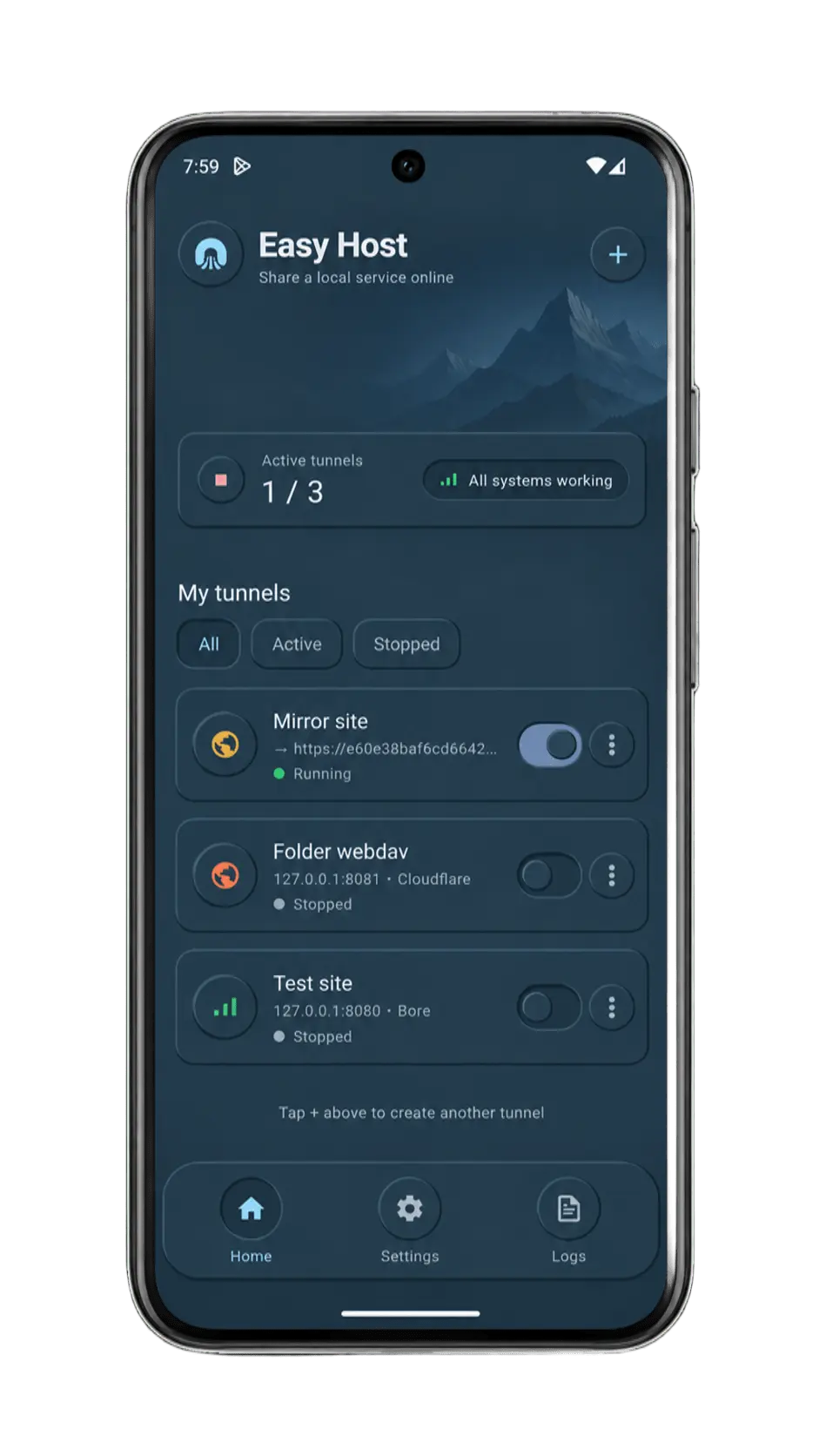
See running tunnels, session stats, and global logs so you know what is online and what failed.
Only the ports you publish are exposed. Easy Host does not route or encrypt all phone traffic.
Tokens and SSH keys remain on your device. No Easy Host cloud account is required to open a tunnel.
Optional start when the app opens, Tasker-friendly intents, plus Pro tools like boot autostart and widgets.
Plans
One app on Google Play. Free is enough for everyday tunnels. Pro adds capacity and power-user tools in the app.

Free · ads may appear
In-app via Google Play
Product tour
Providers, live status, logs, QR sharing, and settings: the Easy Host flow on Android.
Use cases
Demos, webhooks, remote checks, and field tests without standing up a VPS for every experiment.
Run a local server on the phone and hand reviewers a public HTTPS link in seconds.
Receive provider callbacks on a local listener without keeping a desktop tunnel client nearby.
Expose a staging port briefly so a teammate or CI hook can reach it from outside the LAN.
No VPS setup for a quick public endpoint when you only need it for an hour.
Point Custom SSH at your VPS or sish-compatible host when you want your own hostname.
Use Quick Tunnel on device or Named tunnels with a token when you already work in Cloudflare.

Scan for Easy HostGoogle Play · Android
Get started on Google Play
Install from Google Play, pick a tunnel source, set the local port, and share the public URL. Upgrade to Pro anytime in the app via Play Billing.